Ayo
OwnerDonutFlipper has always been able to update itself. It did it quietly, while you were on the title screen, and the first you knew about it was a different version number the next time you looked. People did not like that, and they were right not to: a mod that writes to your mods folder without saying so looks exactly like a mod you should not have installed, whatever it is actually doing.
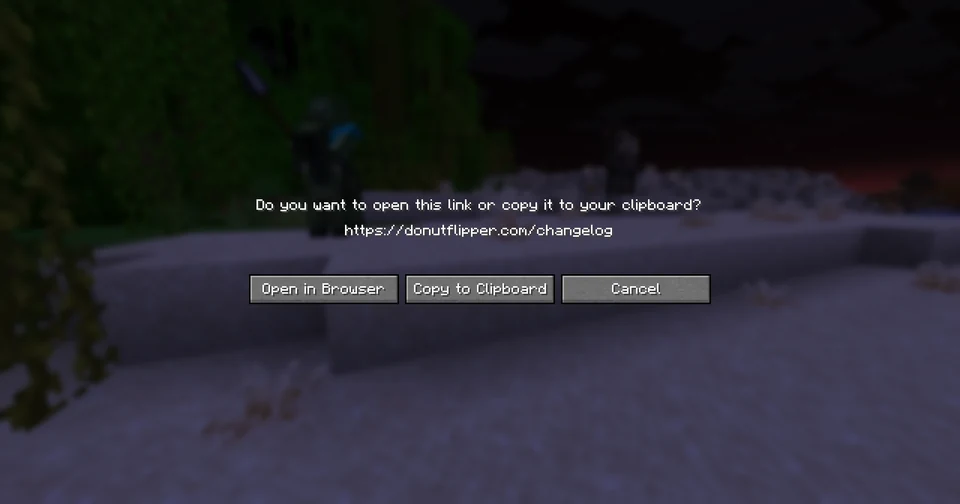
So it asks now. When a new build is out, this is waiting at the title screen before you can join anything:
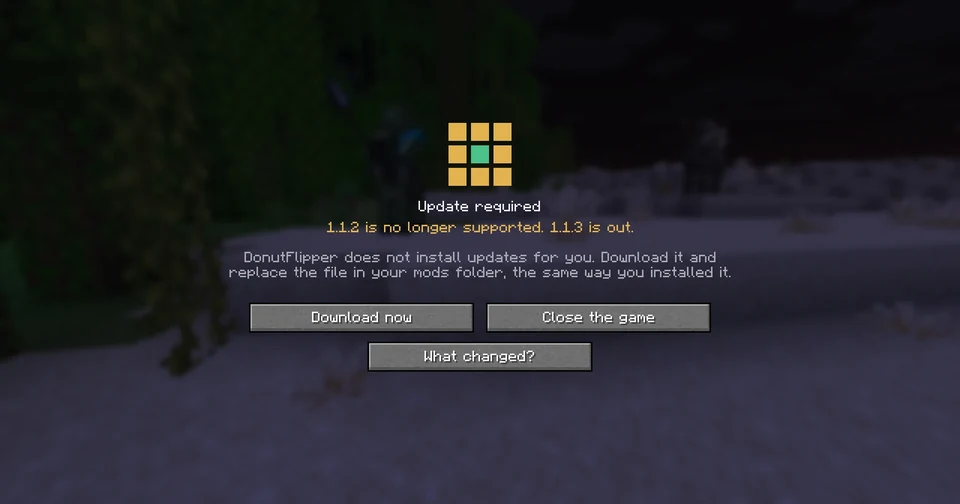
Pressing Download now does not download anything. It shows you exactly what pressing the next button would do:
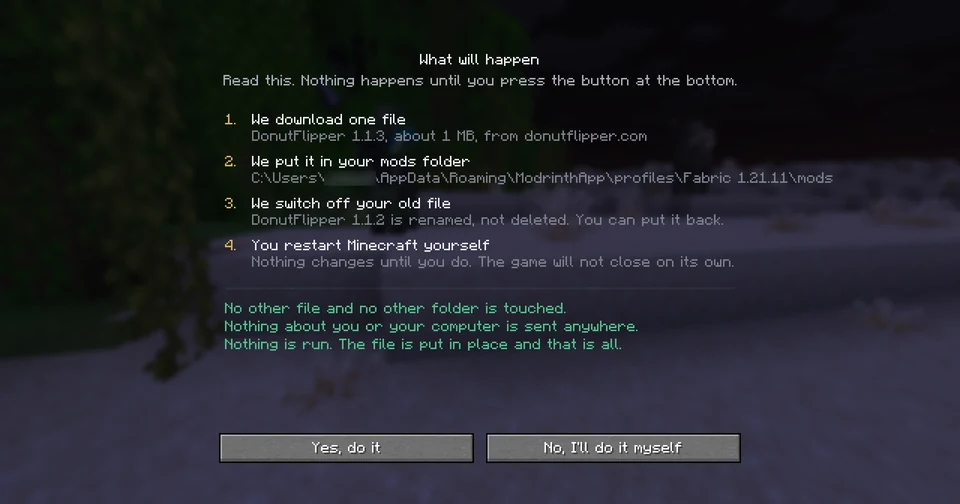
- 1
We download one file
The build, by name and size, from donutflipper.com. - 2
We put it in your mods folder
The real path on your machine, read from your launcher. Not a guess, not.minecraft/mods— wherever yours actually is. - 3
We switch off your old file
Renamed, not deleted. It stays next to the new one, so you can put it back. - 4
You restart Minecraft yourself
Nothing changes until you do. The game will not close on its own.
Underneath that, three lines about what is not touched: no other file, no other folder, nothing sent anywhere, nothing run. Then two buttons. One of them is “No, I’ll do it myself”, and it is a real answer — the download page is one click away and always has been.
- NEWA What changed? button on the update screen, straight to this page. If something is going to replace a file on your computer, you should be able to read what is in it first.
- NEWThe screen uses Minecraft’s own background and buttons rather than ours. It is the game telling you your files are out of date, so it should look like the game.
- IMPROVEDTwo versions behind? You get the newest one, not the next one. Somebody coming back after 2.0.4 and 2.0.5 have both shipped goes straight to 2.0.5 — one download, one restart.
- IMPROVEDThe install waits five minutes for your old file to be free instead of thirty seconds. A virus scanner reading a freshly written jar holds it longer than that, and the old limit meant an update could quietly not happen.
- FIXEDNothing runs on a timer any more. The old updater looked every twenty minutes and installed what it found; this one runs once, because you pressed a button.
- FIXEDIf you had not verified your account yet — first launch, or Mojang turned the check down — the mod never asked whether a new build was out, so it never told you. The question it asks is public and needs no account, and it now asks it like that. A check that fails is tried again after a minute instead of twenty.
- FIXED2.3.4 and 1.1.4 crashed when you pressed the key that opens the panel. A build-file change meant to keep a screenshot tool out of the release also removed a class the panel itself needs, and nothing we had checked for that: the build passed, the tests passed, the signature verified. The check that would have caught it — does every class the jar names actually exist in the jar — now runs before anything can be signed. If you are on 2.3.4 or 1.1.4, this build is the fix.
- FIXEDOn 1.21.11 the title screen now says which build you are running and which key opens the panel, as it already did on 26.2 and 26.3. It was never ported to that line, which is awkward in a release about being able to tell what is installed.
- FIXEDThe sentence under the title said the mod does not install updates for you. That was true of the first version of this screen and stopped being true when Download nowstarted opening the list above — so for one release the screen contradicted the next one. It now says what is actually true at that moment: nothing has been downloaded, and the next screen asks.
If anything goes wrong — the download does not finish, the file is not what it claims to be, your mods folder will not take it — the screen says which, and says that nothing was changed. The build you are running stays exactly where it is.